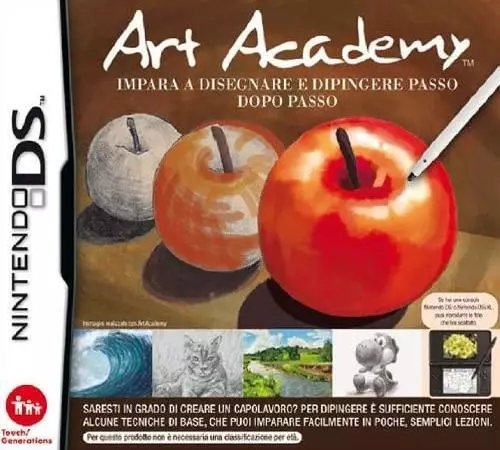
Have you ever had an interest in art or wanted to learn how to draw and
paint? Well now you can with the Art Academy™ software for the Nintendo
DS™ system. Art Academy is a fun, interactive, and portable training
software that will teach you how to draw and paint, much as you would
learn in an art class.
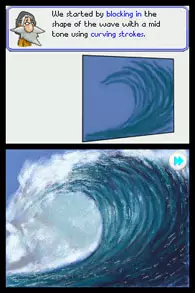
Art Academy offers simple, easy to understand art lessons that you can
take at your own pace. You even have the ability to fast forward or
rewind a step if you would like to view it again. Vince is your in-game
art tutor and he will guide you through each new lesson, gradually
introducing new concepts to you. Each new lesson builds upon concepts
that you learned in previous lessons, complete with step by step
examples.
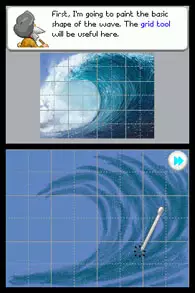
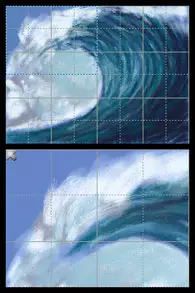
The software takes advantage of the Touch Screen on the Nintendo DS.
Simply use the stylus like a real pencil or paint brush when creating a
piece of art. The pencils, paintbrushes, color mixing, and paint
dilution effects produce realistic results, and feel very natural. All
of the skills learned in Art Academy can be applied to real-life
artist’s materials outside of the Nintendo DS environment.
So what are you waiting for? There is no time like the present to start
learning how to draw and paint with Art Academy.
Free Paint Mode allows the player to create works of art when ever and
where ever they are inspired.
There are different types of Pencil and Brush types for the player to
choose from when creating their art. This gives the player a lot of
creative freedom when painting and drawing.
Paints are easily mixed on a painter’s pallet to get the desired
colors. They can also be diluted with water to adjust the color
saturation. The player can even choose how much paint is on the brush
at a given time.
The Gallery is an area where the player can frame and save all of the
artwork they create. Gallery Images can be displayed in a slide show
or viewed one at a time.
Art Academy includes all 10 of the lessons and tools from both Art
Academy: First Semester and Art Academy: Second Semester, which were
previously only available as Nintendo DSiWare™ downloads. Plus there
are 10 Mini Lessons and over 80 motifs that the player can choose from
to use as reference material when creating their art.
When playing Art Academy on the Nintendo DSi system, the player has
the added feature of using the built in cameras to create reference
material. The player can take a photo and save it into the gallery and
then use it in Free Paint Mode.
The player can send the Demo lesson via the local wireless connection
of their Nintendo DS to another Nintendo DS to be tried by another
player.
独占真正独占edutainmentArt Training
※ 游戏本体及图像的版权均归原制作方所有

