This game was the very first one that I ever made, and has been lying on my hard drive for 10+ years now!!
It’s a bit old and I could have made the art a lot better, but I think that some gamers out there might still enjoy it. It has its own somewhat clumsy charm, and is quite a nice adventure when you get into it. I would love to remake this today. So who knows? If enough people encourage me I may even create a much better version! It’s definitely on my ‘To-Do’ list!
It’s not a platformer that you rush through though so take it easy. You will have quite a tactical battle on your hands. Keys are limited and you need to find 3 types – Metal for metal doors, Wood for wooden doors & Tech keys for the later tech doors.
Doors open automatically if you have a correct key in your rucksack – simply run into the door.
Your Rucksack is important too, as you only have 5 spaces, and so you may have to drop an item to make room for another – you decide 😉
Screen sizes are not fully supported as it’s so old, and so the game may appear slighty ‘letter-boxed’. It won’t affect the game in any way.
Oh and the game is fully unlocked – you can choose any level to play, though it’s obviously better if you follow the storyline as it will make more sense as you progress.
Well that’s it – I hope some gamers out there enjoy Tommy Tronic and taking a nostaligic trip back to the old days.
All funds go towards convincing me to make a really kick ass remake 🙂
Let me know your thoughts!
———————————————————–
———————————————————–
Controls can be set to your tastes via the menu:
Standard keys are:
Move/Jump: arrow keys
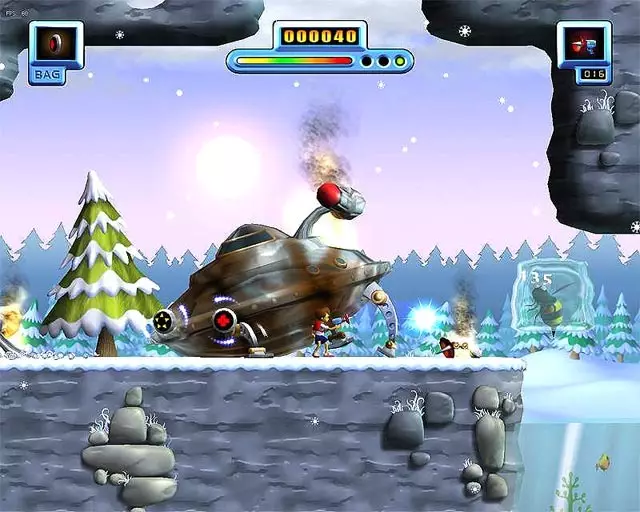
To collect an item for your Rucksack you must crouch while standing over it, automatically adding it to your inventory.
Use an item in your rucksack (max 5 items so choose/use wisely): space bar
Cycle through rucksack ‘[‘ &’]’ keys
To drop an item from your Rucksack, make sure it is visible in your Rucksack Panel and then press “d”
Toggle weapons: ” keys
You can see which control keys are set by pressing: ‘h’ (change them in the menu)
Joypad: If your Joypad is detected you can change the control settings in the controls screen. Move the mouse pointer (using the mouse) over a key option and press or move the desired button or stick to register it as your desired control binding.
复古2D3D萌系冒险射击平台fun单人模式toys


※ 游戏本体及图像的版权均归原制作方所有

